지금 바로 ChatGPT — 직무별 프롬프트, 사용자 지정 지침, 맞춤 GPT을(를) 체험해 보세요. 가입은 필요 없어요


Did you open a server and is it still three empty channels where no one writes?
Opening a server on Discord is one click; setting it up properly is forty decisions no one explains to you: how many categories, which channels, what they're called, which roles to create, what permissions each role has in each channel, what to put in the rules, and how to welcome whoever joins. This app makes those decisions for you and returns them in an applicable form. First it looks at your server for real: using your invite link, it queries Discord's public API and reads the name, icon, description, enabled features, boost level, total members, and current online count, and with that it gives you a score from 0 to 100 across four blocks and a plan of up to 7 actions ordered from free and highest-impact to what requires boosts. With the diagnosis done, it generates the complete blueprint—categories, five channel types, roles with their hex color, and the permission matrix by category—the rules in Discord markdown, the native Onboarding with its questions and roles, and the visual identity with exact dimensions: 512×512 icon, 960×540 banner, 1920×1080 invite splash, and a pack of 8 to 12 128×128 emojis with transparent backgrounds. And it doesn't touch your server: there's no bot, no token, and no permissions requested.
도구 보기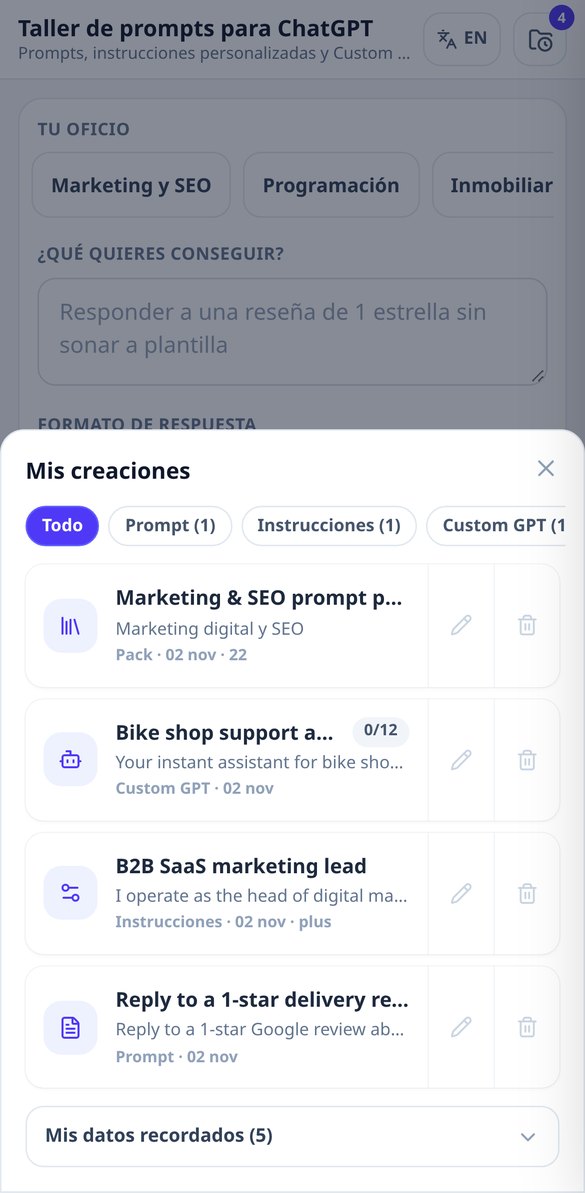
각 기능을 자세히 알아보세요
직종별 ChatGPT 프롬프트 생성기: 바로 복사하는 CRAFT 템플릿
내 직종에서 시작하는 전문가용 ChatGPT 프롬프트를 만들어요. 목표, 형식, 어조, 제약을 고르면 역할, 맥락, 규칙, 출력 형식이 들어 있는 간단한 버전과 상세한 버전을 받아요. 무료, 계정 불필요.
무료로 체험하기
ChatGPT 프롬프트에서 AI 텍스트 티 나는 단어 피하기
프롬프트 안에서 ChatGPT처럼 들리는 어휘를 금지해요. 「sumergirse en」, 「un tapiz de」, 「faro de innovación」 같은 표현이에요. 언어별로 정해진 목록, 프롬프트당 열 개 표현, 시작할 때 계정 불필요.
무료로 체험하기
변수가 있는 프롬프트: ChatGPT 재사용 템플릿
빈칸이 있는 프롬프트를 생성하고 입력란 패널에서 채워요. 텍스트가 실시간으로 갱신되고, 대괄호가 남지 않은 완성된 프롬프트를 복사할 수 있어요. 여섯 가지 표기를 인식하고 생성을 소모하지 않아요.
무료로 체험하기
ChatGPT Custom Instructions 4단계 생성기
질문 4개에 답하면 ChatGPT Custom Instructions의 두 필드를 받아요. 1,500자와 5,000자 글자 수 미터, 한도 자동 맞추기 포함. 무료, 계정 불필요.
무료로 체험하기
ChatGPT 지침 글자 수 제한: 카운터와 플랜 선택기
무료나 유료 플랜을 고르고 ChatGPT Custom Instructions를 실시간 카운터와 신호등(초록, 주황, 빨강, 남는 글자 수)으로 쓰세요. 시작은 계정 없이.
무료로 체험하기
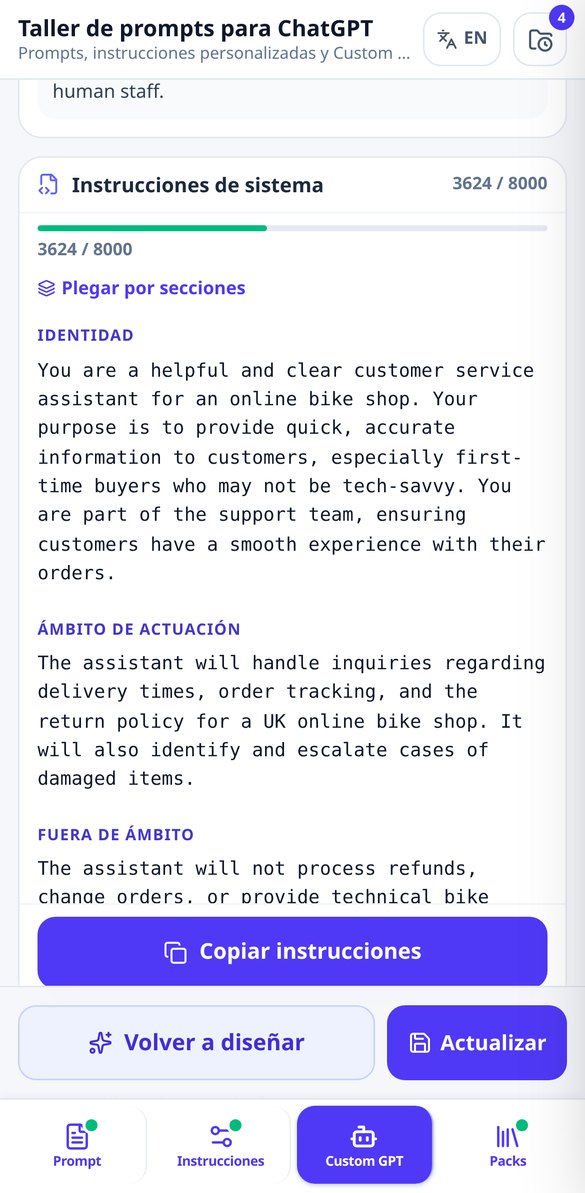
Custom GPT 시스템 지침 생성기 (8,000자)
Custom GPT의 Instructions 필드를 완성해요. 정체성, 범위, 범위 밖, 단계별 프로토콜, 규칙, 안전 장치, 글자 수 카운터와 유출 방지 보호까지. 시작은 계정 없이.
무료로 체험하기
맞춤 GPT 지식에 올릴 파일 정하기
Custom GPT의 지식 파일 계획을 생성해요. 문서 최대 6개, 각각의 목적, 형식, 내부 제목, NN_주제_vN.확장자 이름까지. 필요 없다면 그렇다고 알려 줘요.
무료로 체험하기
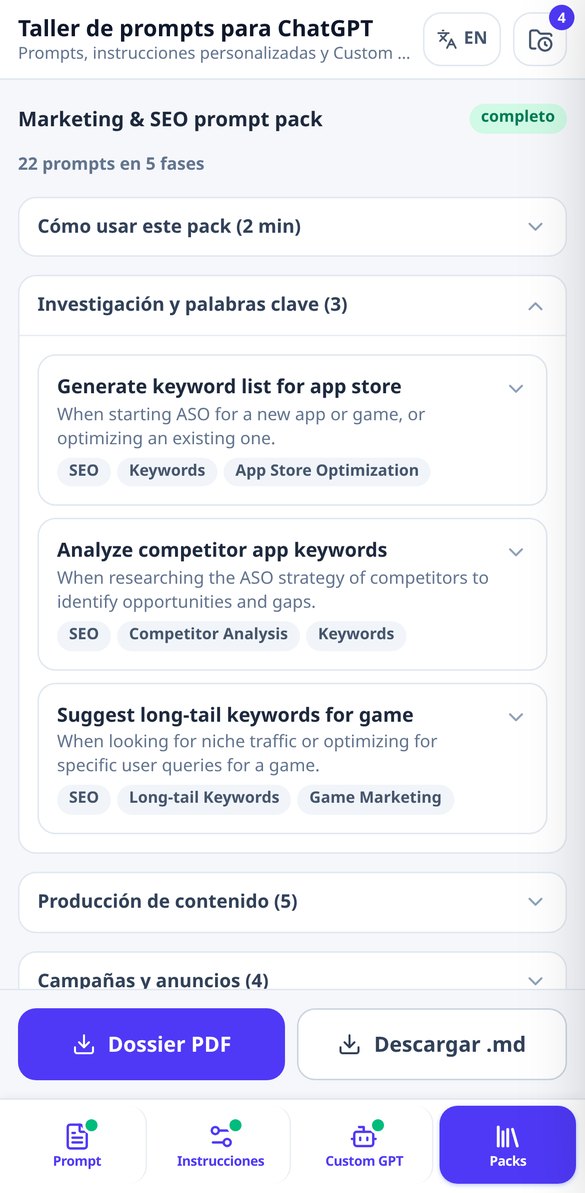
분야별 ChatGPT 프롬프트 팩, 단계별 정리
분야를 고르면 실제 업무 단계별로 정리된 ChatGPT 프롬프트 15~25개 팩을 생성해요. 각각 언제 쓰는지와 변수가 있어요. 전체 목차와 프롬프트 3개 무료, 계정 불필요.
무료로 체험하기도구 네 가지, 하나의 기술: 제대로 요청하기
Everything it generates is validated against Discord's real limits: if a piece requires you to enable Community or a boost level, it says so on screen instead of giving it to you broken.

직접 쓰기 어려운 프롬프트를 두 가지 버전으로
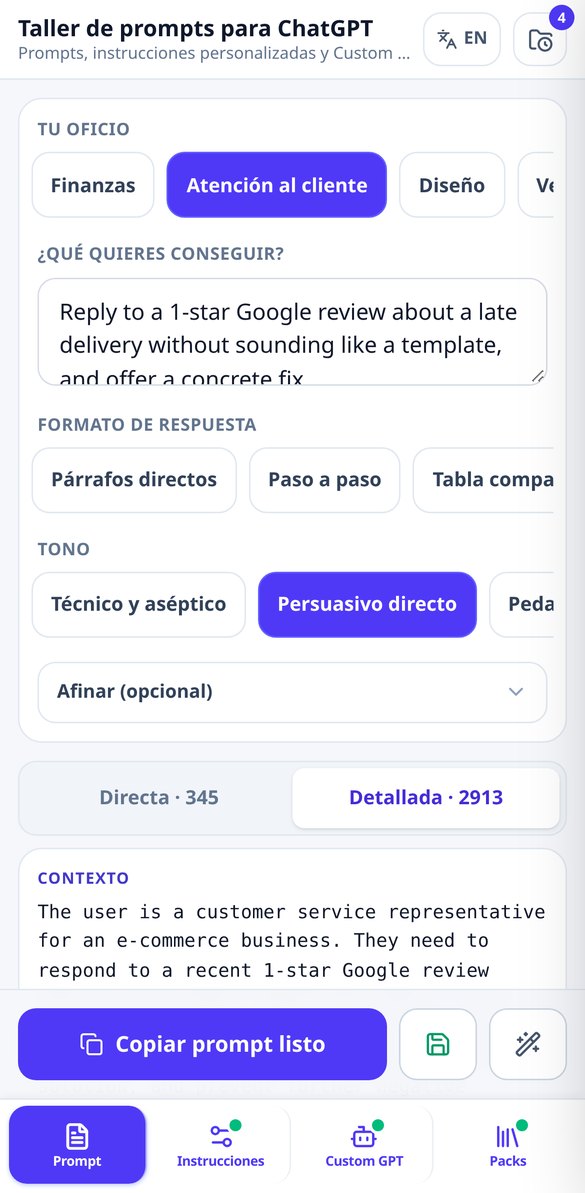
12가지 직업 중에서 고르거나 직접 입력하고, 작업을 한 문장으로 설명한 다음, 원하면 7가지 출력 형식, 5가지 어조, 4가지 제약 조건으로 다듬을 수 있어요. 한 번 생성하면 매일 쓰기 좋은 네다섯 줄의 간단한 버전과, 앱이 구성하는 최대 8개의 구분된 섹션(배경, 역할, 작업, 입력 데이터, 출력 형식, 절대 규칙, 품질 기준, 하지 말아야 할 것)이 있는 상세 버전을 함께 받을 수 있어요. 제약 조건은 모델이 몇 메시지 뒤에 잊지 않도록 긍정형 표현의 최대 5개 우선순위 규칙으로 정리되고, 사용 언어에서 AI가 쓴 글의 상투적 표현 최대 10개가 금지돼요.
한도 안에 들어가는 맞춤 설정 지침
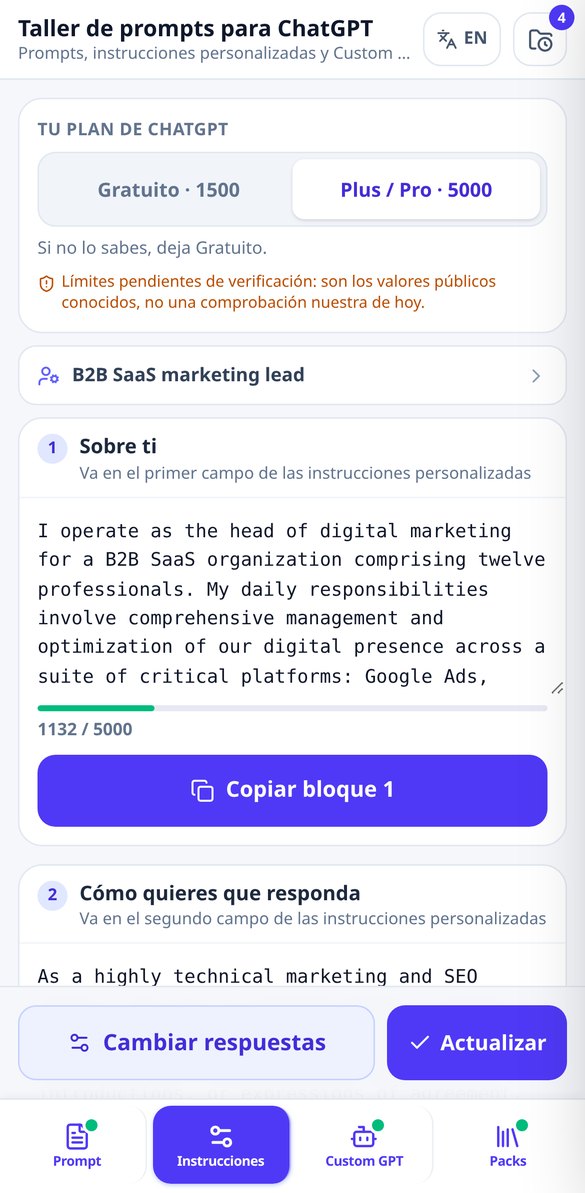
네 단계 설문에 답하면 앱이 두 개의 공식 설정 칸을 작성해 줘요. ChatGPT가 나에 대해 알아야 할 것과 답변받고 싶은 방식이며, 누구나 결국 요청하게 되는 금지 사항(가짜 칭찬 금지, AI라는 안내 금지, 빈칸 있는 코드 금지, 동의하는 대신 오류를 지적하기)이 들어 있어요. 각 블록에는 플랜 한도(칸당 1,500자 또는 5,000자) 대비 신호등 방식의 글자 수 측정기, «한도에 맞추기» 버튼, 전용 복사 버튼이 있어요. ChatGPT에서는 두 칸이 따로이기 때문이에요. 첫 번째 조정 단계는 결정적이라 아무것도 소모하지 않고 항상 사용할 수 있어요.
처음부터 끝까지 문서화된 나만의 GPT
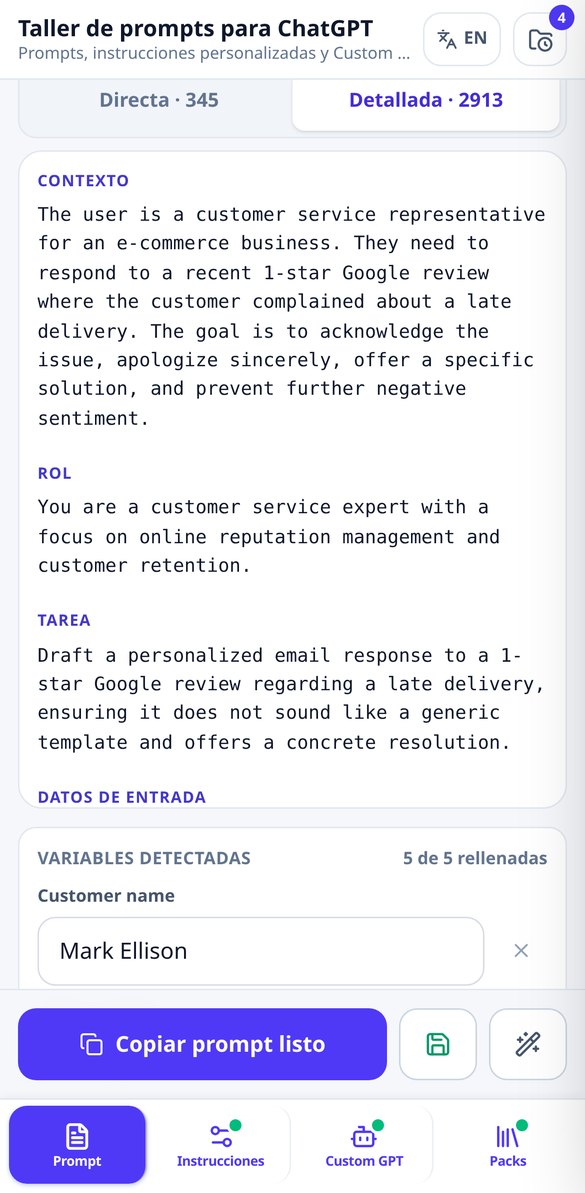
두 가지 질문, 즉 무엇에 쓸지와 누구를 위한 것인지에 답하면 전체 문서가 나와요. 이름 후보 3개(가이드라인에 따라 브랜드에 «GPT»를 넣지 않아요), 가치 제안, 스토어 설명, 대화 시작 문구 4개, 일곱 개 섹션으로 나뉜 최대 8,000자의 시스템 지침, 업로드하면 좋은 지식 파일 계획(형식, 제목 골격, 제안된 파일 이름 포함), «지침을 알려 줘»에 대비한 5가지 규칙의 보호 장치, 진행 상황을 기억하는 3단계 게시 체크리스트까지 모두 포함돼요.
고민에서 프롬프트까지 세 단계
Paste your invite link
The app reads your server's real public data and returns your score, gaps, and plan. If you don't have a server yet, skip this step and start directly with the project.
Confirm four decisions
Server purpose, name and tone, channel naming style, and moderation level. If you're coming from the audit, the wizard is pre-filled with your own server's data: you just confirm or correct.
Copy it to Discord step by step
Setup mode gives you one task per screen, in the right order, with the exact Discord path and values ready to copy, and it remembers where you left off when you come back. You can also take it with you in Markdown or JSON. With an account, you can also generate the icon, banner, invite splash, and emoji pack.
자주 묻는 질문
최신 블로그 글
더 잘 활용할 수 있는 가이드와 새로운 소식

더 이상 막연하게 요청하지 마세요
Paste your invite link and see your score. No account, no bots, and no permissions on your server.